Interactive River Modeller
Quick start
- Move: WASD.
- Move fast: hold Shift.
- Rotate the camera: Right click + mouse movement.
The user can of course change all sorts of conditions and parameters through the various model panels. To start the model, press play on the top icons. Output data can be downloaded as CSV files, when the simulation has successfully finished calculations (with pop-up button).
Geometrical data, model parameters and hydrograph can be saved and loaded as configurations through the Save and Load panel.
After calculations are done, a lateral bar is available for playback visualization. You can visualize flood wave playback with the lateral buttons (play-resume, stop, reset). You can also change spatial and time scale of the visualization.
WebGL version notes: example geometry, boundary conditions, model type and input hydrograph are already set for testing and displaying purposes.
WebGL has limited memory, so the web app can crash if the geometry and/or input hydrograph is very complex.
About the project
IRM – Interactive River Modeller is a streamlined one-dimensional (1D) river modelling solution designed to make hydraulic modelling both accessible and interactive.
It combines established 1D hydraulic modelling approaches with flexible configuration of model parameters, river geometry, and boundary conditions. In addition to the numerical modelling capabilities, IRM provides an intuitive 3D visualization environment, allowing users to explore and interpret simulation results directly within a clear and interactive representation of the river system.
About the developer
Fabrizio Xavier Molina Espinoza, MSc in Environmental Engineering with academical background in hydrological and hydraulic modelling, with a strong passion for gamification and Unity development and programming.
Background image by kostiolavi from Pixabay
Download
Install instructions
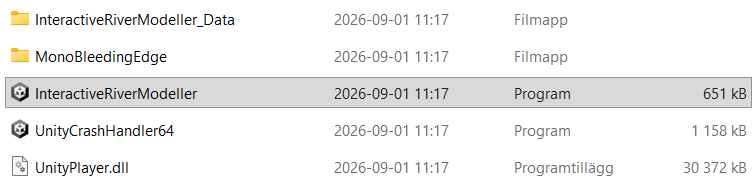
To run IRM on Windows, you need to:
- Decrompress the zip folder
- Click on the .exe file called InteractiveRiverModeller